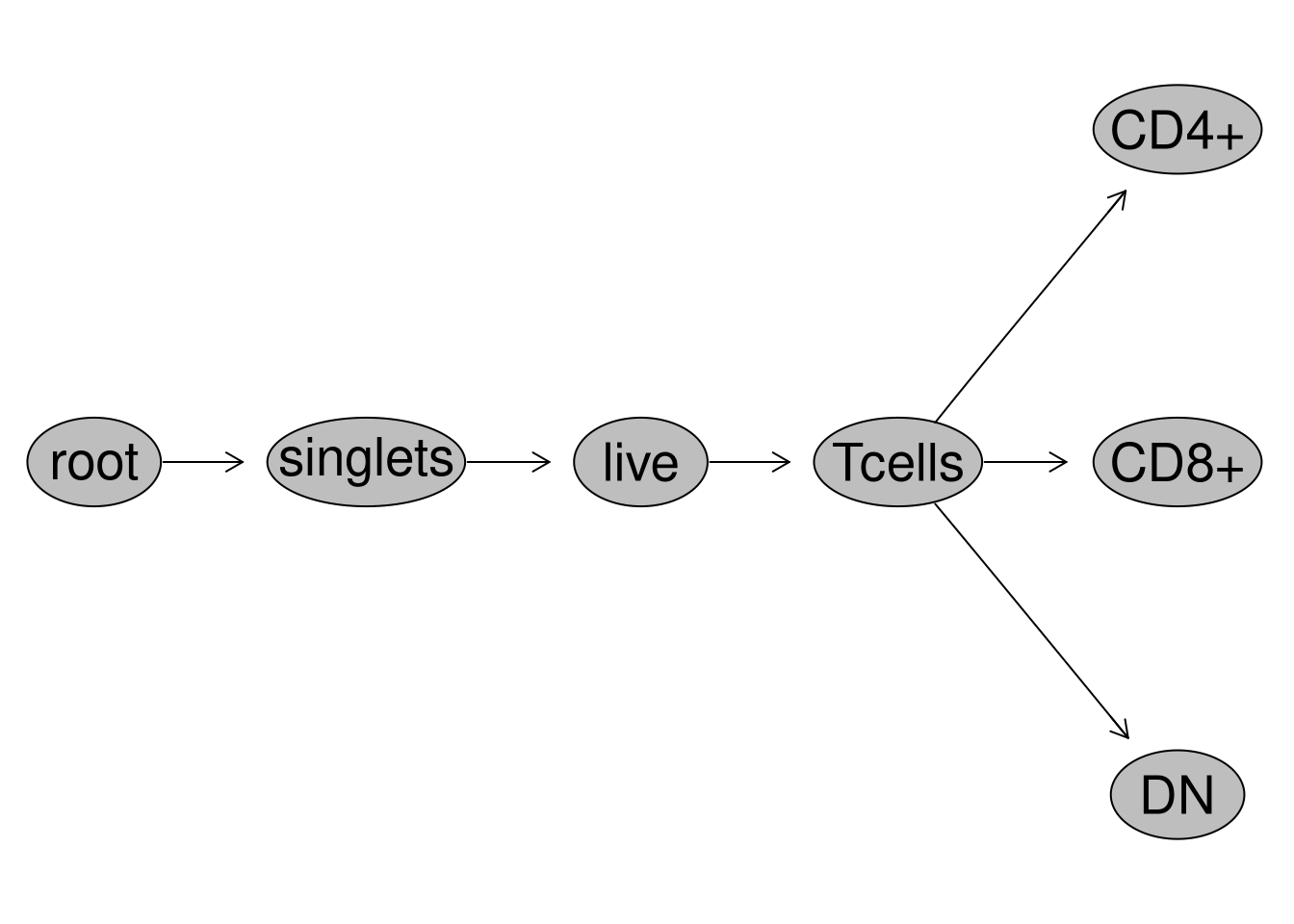
This walk-through is an extension of the Week 10 lesson, additionally documenting how the Concatenate() function was assembled from start to finish. This walk-through is optional, and has been separated out from the Downsampling lesson mainly in a desire to avoid those who are just starting to learn functions from burning out due to too-many-examples-too-quickly.
If however you want to see additional examples of how a slightly-more complicated function is crafted (or just really enjoy learning about .fcs file internals in R), then this walk-through is for you, and feel free to continue reading :D
Journey Thus Far
At this point in the Week 10 lesson, we had just wrapped up creating the Downsampling function. While down-sampling by itself can be useful under certain situations, it is more often used as part of a workflow where the downsampled outputs are combined together into a single .fcs file (concatenation) for use in unsupervised workflows (like dimensionality visualization).
Unlike Downsampling(), which works within an individual .fcs files (i.e. one at a time), if our goal is to build out a Concatenate() function, we would need to first iterate through every .fcs file to retrieve the needed downsampled outputs, then combine them together, before finally outputting them as a new .fcs file.
While nesting Downsampling() within Concatenate() to create a nested function is a simple enough process, in practice the tricky part is that when we concatenate .fcs files together, we typically want to add keywords to allow us distinguish within the concatenated file the original .fcs file from which a cell derrived.
For .fcs files, these keywords end up being integrated in as additional numeric columns in the ‘exprs’ matrix, which results in the need to not only modify the exprs slot, but subsequently additional modifications to the parameters and description slots before we can create the new .fcs file.
It is because of all these numerous moving parts that showing the full-walkthrough for Concatenate() within Week 10 was not feasible, and why we resorted to just sharing the fully assembled Concatenate() function and its various nested helper functions in the R folder so that the focus could remain on their actual implementation within a workflow.
However, if you are not yet burnt out on function building, the walk-through documenting the process via which Concatenate was created can be seen below.
Set Up
Seeing as this portion of the original walk-through (index.qmd) has now been relocated to its own separate .qmd file (concatenate.qmd), we will need to reload in all the different components we had previously assembled to replicate the working environment contents that should have been present at the point of the workflow we started to assemble Concatenate().
Lets re-attach the required R packages to our local environment via the library() call.
library(flowWorkspace)
As part of improvements to flowWorkspace, some behavior of
GatingSet objects has changed. For details, please read the section
titled "The cytoframe and cytoset classes" in the package vignette:

  vignette("flowWorkspace-Introduction", "flowWorkspace")
library(flowGate)
Loading required package: ggcyto
Loading required package: ggplot2
Loading required package: flowCore
Loading required package: ncdfFlow
Loading required package: BH
Registered polygon_gate
Registered span_gate
library(dplyr)
Attaching package: 'dplyr'
The following object is masked from 'package:ncdfFlow':

    filter
The following object is masked from 'package:flowCore':

    filter
The following objects are masked from 'package:stats':

    filter, lag
The following objects are masked from 'package:base':

    intersect, setdiff, setequal, union
library(ggplot2)library(purrr)
Next up, lets re-establish the file path to our data folder
Finally, where we left off, we had Downsampling() fully assembled and active in our enviroment. Since we will need it when building out Concatenate(), we can source() the final version of Downsampling() function that was stored within an “R” folder in our working environment at the end of the Week 10 walk-through. The source() function is the equivalent of calling library() on an R package, but at the level of individual .R files, returning their generated contents to your local environment.
#DownsamplingRFilePath <- file.path("course", "10_Downsampling", "R", "Downsampling.R") # For InteractiveDownsamplingRFilePath <-file.path("R", "Downsampling.R") # For Quarto Renderingsource(DownsamplingRFilePath)
Once source() is run, we should see the functions present within the “R” folder become active, as we can see in the right secondary side-bar.
At this point, we have re-assembled everything that we previously had and will need to continue creating the Concatenate() function. If you remain interested, please continue with the walk-through below. If you want to return to where you were at, click here.
Walk-through
Sketching a Plan
Our broad goal is to take the .fcs files currently within our GatingSet, use our newly constructed Downsampling() function to retrieve a desired number of cells from our target gate, and then combine them together to form a concatenated .fcs file that we can use for downstream unsupervised analysis.
With the Downsampling() function written, the initial components needed for our Concatenate() function are ready to go. To get the individual outputs back from the GatingSet, we can use map() from the purrr package to iterate through our outputs. We will then need to figure out the actual concatenation code, after which we can utilize the flowCore packages write.FCS() to export our combined file out as a new .fcs file to a designated folder.
As we sketch out our mental plan, it’s this middle-late section where we can anticipate encountering some complexity (and therefore additional troubleshooting). Previously, with Downsampling(), we were simply swapping in place of the original exprs() matrix a smaller exprs() matrix, while keeping all other components of the original .fcs file intact. When we concatenate, a new keyword column typically gets added to the exprs() matrix, which allows us distinguish for each cell the original .fcs file it came from before everything was concatenated together. This new column also permits us to gate a group of cells of interest, and by visualizing the keyword on one axis, separate out cells on basis of these groups.
Because this new column is located in the exprs() matrix, it needs to be ‘numeric’ (not a ‘character’ or ‘logical’ type value). So if our metadata/keywords are character values, we will need to convert them over to some form of numeric-based keyword values, while also providing a means to back-translate these numeric values to their original character form (likely via adding a new keyword within the description/keyword slot to serve as a dictionary).
Consequently, as we saw back during Week 03, the simple addition of a new column to exprs() means we will also need to add entries for it to the parameter() data.frame, as well as the description/keywords list. This means that from-the-get-go, we will need to mess around with more .fcs file internals than we did with Downsampling(), if our goal is to return a fully commercial-software compatible .fcs file.
Before getting started, its worth remembering that this is just one approach to writing a Concatenate() function. As with everything in R, there are multiple routes one can take to get to the same outcome. You are welcome to extend/modify/alter the existing code beyond what we show to better fit your own requirements in the future.
Nesting Downsampling
Lets get started by creating a skeleton for our new function. Since Concatenate() will need to work/orchestrate things at the level of the entire GatingSet, we will use “gs” as our first argument.
#' Concatenates together .fcs files present in the GatingSet on the#' basis of a given gate#' #' @param gs A GatingSet object#' Concatenate <-function(gs){# Code goes here}
However, we are not just combining entire .fcs files together, rather combining cells present within the same designated gate. So we can go ahead and provide a subset argument, and copy over the roxygen skeleton documentation we used for it in Downsampling to avoid needing to rewrite it.
#' Concatenates together .fcs files present in the GatingSet on the#' basis of a given gate#' #' @param gs A GatingSet object#' @param subset The gate from which to retrieve cell counts from #' Concatenate <-function(gs, subset){# Code goes here}
Speaking of, the line of code we ran to retrieve our Downsampling() outputs would likely be one of the first lines of code we will need to run within Concatenate(). Let’s go ahead and also copy-paste-it inside the function. We can then see what arguments it needed, and update Concantenate() with their respective documentation entries we had previously written for Downsampling().
When copying-and-pasting in code inside a new function you are creating, remember to check that any expected variable/object mentioned by that line of code matches an argument present within “function()” to avoid encountering errors later on when the function is not able to find that variable in the functions environment.
#' Concatenates together .fcs files present in the GatingSet on the#' basis of a given gate#' #' @param gs A GatingSet object#' @param subset The gate from which to retrieve cell counts from #' @param inverse.transform Whether to revert values back to their#' original untransformed values before export as an .fcs file, default#' is set to TRUE#' @param DownsampleCount The desired number of cells to downsample from#' each gated population. If value is less than 1, subsets out the #' equivalent proportion from that specimen#' @param addon An additional character value to add before .fcs in the GUID#' keyword to tell the downsampled file apart from the original. #' @param StorageLocation A file.path to the folder you want to store the new downsampled#' fcs file to. Default NULL results in .fcs file being stored in current working directory#' @param returnType Whether to return as a "fcs" file (default), or "flowFrame" or "data.frame"#' #' @importFrom purrr map#' Concatenate <-function(gs, subset, inverse.transform=TRUE, DownsampleCount, addon, StorageLocation=NULL, returnType="flowFrame"){ flowFrameList <- purrr::map(.x=gs, subset=subset, .f=Downsampling,DownsampleCount=DownsampleCount, addon=addon, returnType="flowFrame",inverse.transform=inverse.transform, StorageLocation=StorageLocation) # All argument values in the code above need to match an argument# inside the function() in order to avoid having a "missing argument" returned}
With these initial changes made to our Concatenate() function, we can update/refresh it in our local environment by re-running the function code (easiest approach is to select the “Run Cell” option for the code chunk), and then test it to make sure we are getting back the expected code back (the iterating Downsampling() output ending up in “flowFrameList” in this particular case).
Typically, I will set up a code chunk directly below my function code chunk, and circle back and forth between the function and the run-code chunk throughout the process of function building. We ultimately want to make sure we are getting the expected output, and not any error or warning notifications.
Having successfully retrieved a flowFrame object matching our desired downsample count, we know that our attempt to nest Downsampling() inside Concatenate() has been successful.
Conditional Return
At this point, we have a nested function. However, when creating Downsampling(), we set up a “returnType” argument to allow us to retrieve various desired output types (“fcs”, “flowFrame”, “data.frame”). By adding a “returnType” argument and then setting up a conditional (using ‘if’ or ‘else’) we can enable Concatenate to also return these multiple output types.
#' Concatenates together .fcs files present in the GatingSet on the#' basis of a given gate#' #' @param gs A GatingSet object#' @param subset The gate from which to retrieve cell counts from #' @param inverse.transform Whether to revert values back to their#' original untransformed values before export as an .fcs file, default#' is set to TRUE#' @param DownsampleCount The desired number of cells to downsample from#' each gated population. If value is less than 1, subsets out the #' equivalent proportion from that specimen#' @param addon An additional character value to add before .fcs in the GUID#' keyword to tell the downsampled file apart from the original. #' @param StorageLocation A file.path to the folder you want to store the new downsampled#' fcs file to. Default NULL results in .fcs file being stored in current working directory#' @param returnType Whether to return as a "fcs" file (default), or "flowFrame" or "data.frame"#' #' @importFrom purrr map#' Concatenate <-function(gs, subset, inverse.transform=TRUE, DownsampleCount, addon, StorageLocation=NULL, returnType="flowFrame"){if (returnType =="data.frame"){ dataFrameList <- purrr::map(.x=gs, subset=subset, .f=Downsampling, DownsampleCount=DownsampleCount, addon=addon, returnType="data.frame",inverse.transform=inverse.transform, StorageLocation=StorageLocation) } else { flowFrameList <- purrr::map(.x=gs, subset=subset, .f=Downsampling, DownsampleCount=DownsampleCount, addon=addon, returnType="flowFrame",inverse.transform=inverse.transform, StorageLocation=StorageLocation) }}
With our edits complete, we can re-run the function code-chunk to update it in our local environment (replacing the older active variant), and run our output line again to make sure our changes were implemented correctly.
Having retrieved back a “data.frame” style, lets switch “returnType” argument back and make sure we can still also retrieve a “flowFrame” object (which means our conditional statement is implemented correctly).
flowFrame object '2025_07_26_AB_02-INF052-00_Ctrl_Unmixed__Tcells_CD4.fcs'
with 2000 cells and 43 observables:
               name      desc     range  minRange  maxRange
$P1            Time        NA    896744         0    896744
$P2           SSC-W        NA   4194303         0   4194303
$P3           SSC-H        NA   4194303         0   4194303
$P4           SSC-A        NA   4194303         0   4194303
$P5           FSC-W        NA   4194303         0   4194303
...             ...       ...       ...       ...       ...
$P39     APC-R700-A    CD107a   4194275      -111   4194275
$P40   Zombie NIR-A Viability   4194275      -111   4194275
$P41 APC-Fire 750-A      CD27   4194275      -111   4194275
$P42 APC-Fire 810-A      CCR7   4194275      -111   4194275
$P43           AF-A        NA   4194275      -111   4194275
472 keywords are stored in the 'description' slot
With our “returnType” argument returning the correct objects when we specify “flowFrame” or “data.frame”, our conditional statement is correctly implemented and we are ready to proceed.
Considerations
At this point, within Concatenate(), we are able to retrieve lists of either “data.frame” or “flowFrames” objects, the length corresponding to the number of specimens present in our ‘GatingSet’ object. Ultimately, regardless of what returnType we get back, we will want to mutate() in a new column to the individual exprs() matrices contained within each list, appending the corresponding metadata keyword that will permit us to distinguish the original .fcs files an individual cell came from once everything gets concatenated together.
While both returnTypes will provide us with exprs() matrices, using a “flowFrame” means we would also have direct access to the .fcs file associated metadata (something that the “data.frame” option would not permit). So at this point in building the Concatenate() function, we have reached a fork in the coding path, with a couple options to decide between before proceeding.
If we choose returnType = “flowFrame”, for the invidiual flowframes, we could dive back in and retrieve out from the internal description/keyword list a keyword for use in differentiating cells from that flowframe from those of the other flowframes. We could then retrieve the exprs() matrix, and append on the designated keyword as a new column via the mutate() function. Subsequently, all individual data.frames originating from the list of flowframes could be combined together (through either rbind() or bind_rows()) to create a combined data.frame. This concatenated “data.frame” object could then be converted into an .fcs file via similar steps that we previously employed for Downsampling().
Alternatively, if we chose returnType = “data.frame” route, we would already have retrieved via Downsampling() the individual exprs() “data.frames” for each specimen in our GatingSet. Since no additional metadata is present at this stage, we would need to separately retrieve out keywords for each specimen from our existing GatingSet object, and pass the retrieved keyword value to its corresponding individual’s data.frame. At that point, we could append it on as a new column via the mutate() function. From there, the process becomes essentially identical to the last steps described above for returnType = “flowFrame”.
As you can see, we end up at a similar place using either approach, but need different steps to get there depending on our choice. This is typical scenario when coding your own functions, which is why I wanted to highlight it rather than just simply picking one option and moving forward without explanation why.
I ultimately decided on going via the returnType = “data.frame” approach. The main reason was that even though more steps are involved in linking keywords to already retrieved data.frames, it is relatively easy to update a GatingSet’s metadata. This allows extra flexibility in providing additional values that can then be integrated as keyword metadata in the concatenated .fcs file.
By contrast, returnType = “flowFrame” would mean we are either restricted to the keywords that are already present as internal .fcs file keywords; or subsequently will need to write additional code to allow for external inputs, which would pretty much be the same code we would have written if we had used the returnType=“data.frame” option from the get-go.
Metadata
Updating Metadata
Having decided to go the returnType=“data.frame” route, lets first check to see what the existing metadata for our GatingSet object currently looks like.
As you can see, we have only the standard name column. We can combine in addition metadata for our dataset from a .csv file by repeating the steps we first saw back during Week 7.
Seeing as both “CurrentMetadata” and “AdditionalMetadata” share a column (and importantly, the name values contained within each column have corresponding matches in the other data.frame), we can use the dplyr packages left_join() function to merge both data.frames into a larger one on the basis of the shared column. After updating the rownames (which the GatingSet object is expecting to be present) we can then assign this updated metadata back to our GatingSet via pData().
                                                                                                   name
2025_07_26_AB_02-INF052-00_Ctrl_Unmixed__Tcells.fcs 2025_07_26_AB_02-INF052-00_Ctrl_Unmixed__Tcells.fcs
2025_07_26_AB_02-INF100-00_Ctrl_Unmixed__Tcells.fcs 2025_07_26_AB_02-INF100-00_Ctrl_Unmixed__Tcells.fcs
2025_07_26_AB_02-INF179-00_Ctrl_Unmixed__Tcells.fcs 2025_07_26_AB_02-INF179-00_Ctrl_Unmixed__Tcells.fcs
                                                    condition infant_sex
2025_07_26_AB_02-INF052-00_Ctrl_Unmixed__Tcells.fcs      Ctrl       Male
2025_07_26_AB_02-INF100-00_Ctrl_Unmixed__Tcells.fcs      Ctrl     Female
2025_07_26_AB_02-INF179-00_Ctrl_Unmixed__Tcells.fcs      Ctrl       Male
                                                    HEU_status
2025_07_26_AB_02-INF052-00_Ctrl_Unmixed__Tcells.fcs     HEU-hi
2025_07_26_AB_02-INF100-00_Ctrl_Unmixed__Tcells.fcs     HEU-lo
2025_07_26_AB_02-INF179-00_Ctrl_Unmixed__Tcells.fcs         HU
Retrieving Metadata
At this point, our GatingSet now has updated metadata, containing additional keywords by which we can classify our specimens. Because of this, we have the potential to incorporate up to four keyword columns in our futuren concatenated .fcs file (“name”, “condition”, “infant_sex”, and “HEU_status”).
When writing out our function code, one thing we should attempt to avoid is “hard-coding” the column names, since ideally, we want to iterate in the metadata colum names, so that regardless of what the individual keyword column is named, or if we want to integrate 1 keyword or 20 keywords, that these will all be correctly handled and integrated into our final .fcs file without needing to write additional lines of code.
Having committed to the returnType = “data.frame” approach, lets remove from Concatenate() the conditional statement, keeping only the “data.frame” option code lines. We can then re-run/re-fresh the Concatenate() function, and run the output code line to make sure that it remains operational (in this case, returning length() of our “dataFrameList” intermediate).
#' Concatenates together .fcs files present in the GatingSet on the#' basis of a given gate#' #' @param gs A GatingSet object#' @param subset The gate from which to retrieve cell counts from #' @param inverse.transform Whether to revert values back to their#' original untransformed values before export as an .fcs file, default#' is set to TRUE#' @param DownsampleCount The desired number of cells to downsample from#' each gated population. If value is less than 1, subsets out the #' equivalent proportion from that specimen#' @param addon An additional character value to add before .fcs in the GUID#' keyword to tell the downsampled file apart from the original. #' @param StorageLocation A file.path to the folder you want to store the new downsampled#' fcs file to. Default NULL results in .fcs file being stored in current working directory#' @param returnType Whether to return as a "fcs" file (default), or "flowFrame" or "data.frame"#' #' @importFrom purrr map#' Concatenate <-function(gs, subset, inverse.transform=TRUE, DownsampleCount, addon, StorageLocation=NULL, returnType="flowFrame"){ dataFrameList <- purrr::map(.x=gs, subset=subset, .f=Downsampling,DownsampleCount=DownsampleCount, addon=addon, returnType="data.frame",inverse.transform=inverse.transform, StorageLocation=StorageLocation)length(dataFrameList)}
At this point, we will need to set up the code to retrieve the metadata for subsequent data.frame integration. Since we may not want to integrate all the metadata columns into our concatenated .fcs file as keywords, we should provide an additional argument to designate which metadata columns to actually incorporate.
Lets call this new argument “desiredCols”, adding it within ‘function()’, and adding an entry for the argument to the roxygen2 documentation. Likewise, we can modify our final line of code to print() the provided “desiredCols” to validate everything is working post changes.
#' Concatenates together .fcs files present in the GatingSet on the#' basis of a given gate#' #' @param gs A GatingSet object#' @param subset The gate from which to retrieve cell counts from #' @param inverse.transform Whether to revert values back to their#' original untransformed values before export as an .fcs file, default#' is set to TRUE#' @param DownsampleCount The desired number of cells to downsample from#' each gated population. If value is less than 1, subsets out the #' equivalent proportion from that specimen#' @param addon An additional character value to add before .fcs in the GUID#' keyword to tell the downsampled file apart from the original. #' @param StorageLocation A file.path to the folder you want to store the new downsampled#' fcs file to. Default NULL results in .fcs file being stored in current working directory#' @param returnType Whether to return as a "fcs" file (default), or "flowFrame" or "data.frame"#' @param desiredCols A vector containing the names of the columns from the pData metadata#' that need to be added as keywords to the concatenated .fcs file. #' #' @importFrom purrr map#' Concatenate <-function(gs, subset, inverse.transform=TRUE, DownsampleCount, addon, StorageLocation=NULL, returnType="flowFrame", desiredCols){ dataFrameList <- purrr::map(.x=gs, subset=subset, .f=Downsampling,DownsampleCount=DownsampleCount, addon=addon, returnType="data.frame",inverse.transform=inverse.transform, StorageLocation=StorageLocation)print(desiredCols)}
After re-running/re-freshing our function, we can modify our check-the-output code-chunk, to make sure we get back the final function output (“print(desiredCols)” in this case).
With this done, let’s go ahead and retrieve the GatingSet metadata via pData(). Since this returns as a “data.frame” object, we can subset for just our columns of interest (as designated via “desiredCols”) using dplyr’s select() function. Since we are passing in a vector of external character strings, we will need to place select() inside the tidyselect packages all_of() function in order to avoid having a warning message be returned. We can then modify our final return line to return the subsetted metadata, enabling troubleshooting after we re-run/re-fresh our function.
#' Concatenates together .fcs files present in the GatingSet on the#' basis of a given gate#' #' @param gs A GatingSet object#' @param subset The gate from which to retrieve cell counts from #' @param inverse.transform Whether to revert values back to their#' original untransformed values before export as an .fcs file, default#' is set to TRUE#' @param DownsampleCount The desired number of cells to downsample from#' each gated population. If value is less than 1, subsets out the #' equivalent proportion from that specimen#' @param addon An additional character value to add before .fcs in the GUID#' keyword to tell the downsampled file apart from the original. #' @param StorageLocation A file.path to the folder you want to store the new downsampled#' fcs file to. Default NULL results in .fcs file being stored in current working directory#' @param returnType Whether to return as a "fcs" file (default), or "flowFrame" or "data.frame"#' @param desiredCols A vector containing the names of the columns from the pData metadata#' that need to be added as keywords to the concatenated .fcs file. #' #' @importFrom Biobase pData#' @importFrom dplyr select#' @importFrom tidyselect all_of#' @importFrom purrr map#' Concatenate <-function(gs, subset, inverse.transform=TRUE, DownsampleCount, addon, StorageLocation=NULL, returnType="flowFrame", desiredCols){ Metadata <-pData(gs) DesiredMetadata <- Metadata |>select(all_of(desiredCols)) dataFrameList <- purrr::map(.x=gs, subset=subset, .f=Downsampling,DownsampleCount=DownsampleCount, addon=addon, returnType="data.frame",inverse.transform=inverse.transform, StorageLocation=StorageLocation)print(DesiredMetadata)}
Nope, still working as intended :D So at this point, Concatenate() will extract and subset the GatingSet metadata. Within, each row corresponds to an individual specimen, with each keyword column being a value we will want to append on to the specimens exprs() data.frame as a new column.
However, at the moment, our “dataFrameList” object inside Concatenate() is a list of “data.frames”. Our main task before proceeding is to figure out a way, for each specimen, we will need to isolate its respective row from the metadata data.frame (“DesiredMetadata”), and append the values contained in as new columns for the indivuiduals corresponding data.frame (duplicating the same values for every row present).
Helper Function - Keyword Append
Since we will need to handle for each specimen two objects (the metadata row and the data.frame), we are going to need to write a new helper function to handle the various steps involved. Lets go ahead and call this one KeywordAppend() after its intended purpose.
From the current internally generated variables/objects within Concatenate(), it is likely we will need for starters 3 arguments: “x” (the iterated in specimen name that will be used to filter out the correct metadata row), “y” (the simultaneously iterated in exprs() data.frame for the corresponding specimen), and metadata (i.e. the metadata data.frame that we will be isolating the single row from using “x”).
So our initial function/roxygen2 skeleton would look like this
#' Internal for Concatenate, appends the metadata columns#' to the corresponding data.frame#' #' @param x The name value being used to identify the correct#' row in the metadata data.frame#' @param y The iterated in exprs data.frames#' @param metadata The metadata data.frame #' KeywordAppend <-function(x, y, metadata) {# Code goes here}
With our arguments set up, we can start figuring out how to tackle the first of the two moving (i.e. iterated in) pieces, “x”, which will be the specimen name we will use to filter() the “metadata” to get back the specimen specific role for use downstream. Our initial code line for KeywordAppend() therefore would look like this
#' Internal for Concatenate, appends the metadata columns#' to the corresponding data.frame#' #' @param x The name value being used to identify the correct#' row in the metadata data.frame#' @param y The iterated in exprs data.frames#' @param metadata The metadata data.frame #' #' @importFrom dplyr filter#' KeywordAppend <-function(x, y, metadata) {rownames(metadata) <-NULL# Removing row names since not needed AddThisRow <- metadata |>filter(name %in% x)}
At this point, “AddThisRow” would consist of a single row, containing just the keyword columns that were selected (via “desiredCols” argument) we want to integrate in as new keyword columns.
Having successfully what we need to append, we can tackle the second moving (i.e. interated in piece), the “y” argument, which will correspond to the specimen’s exprs() data.frame.
Remember, within Concatenate(), the list of exprs() data.frames is currently contained within the “dataFrameList” object. Each object in a list is typically displayed as [[1]], [[2]], etc. When we iterate, .x=dataFrameList would be the equivalent of x <- dataFrameList[[1]].
To help troubleshoot that things are being iterated in correctly (and not ending up one level up or below somewhere in a nested list), I will typically assign them to an internal variable for troubleshooting purposes. Since our iterated in exprs() data.frame as y, we could save it to a “df” variable inside the function for later evaluation.
#' Internal for Concatenate, appends the metadata columns#' to the corresponding data.frame#' #' @param x The name value being used to identify the correct#' row in the metadata data.frame#' @param y The iterated in exprs data.frames#' @param metadata The metadata data.frame #' #' @importFrom dplyr filter#' KeywordAppend <-function(x, y, metadata) { df <- yrownames(metadata) <-NULL# Removing row names since not needed AddThisRow <- metadata |>filter(name %in% x)return(df)}
After checking that “df” is indeed just a data.frame (via str() function), we can proceed to combine the isolated row containing the desired keywords as new columns. This can be done using dplyr’s bind_cols() function. Since “AddThisRow” is just an individual row, while “df” contains multiple rows, bind_cols() argument will end up duplicating the single metadata row the necessary number of times to match the rows present in “df”.
#' Internal for Concatenate, appends the metadata columns#' to the corresponding data.frame#' #' @param x The name value being used to identify the correct#' row in the metadata data.frame#' @param y The iterated in exprs data.frames#' @param metadata The metadata data.frame #' #' @importFrom dplyr filter bind_cols#' KeywordAppend <-function(x, y, metadata) { df <- yrownames(metadata) <-NULL# Removing row names since not needed AddThisRow <- metadata |>filter(name %in% x) ExpandedData <-bind_cols(df, AddThisRow)return(ExpandedData)}
At this point, KeywordAppend() has carried out it’s task, and we have an expanded data.frame that contains the new keyword columns. We now just need to integrate this completed helper function within our Concatenate() function.
Appending Metadata
For KeywordAppend(), we are intending to iterate in two separate arguments (“x” and “y”). “x” corresponds to the name of the specimen used to filter() the correspond row in “metadata”. Since we have not yet generated a vector of specimen names for this task, we can achieve this by pull()ing “metadata”s name column, ending up with a vector of names.
#' Concatenates together .fcs files present in the GatingSet on the#' basis of a given gate#' #' @param gs A GatingSet object#' @param subset The gate from which to retrieve cell counts from #' @param inverse.transform Whether to revert values back to their#' original untransformed values before export as an .fcs file, default#' is set to TRUE#' @param DownsampleCount The desired number of cells to downsample from#' each gated population. If value is less than 1, subsets out the #' equivalent proportion from that specimen#' @param addon An additional character value to add before .fcs in the GUID#' keyword to tell the downsampled file apart from the original. #' @param StorageLocation A file.path to the folder you want to store the new downsampled#' fcs file to. Default NULL results in .fcs file being stored in current working directory#' @param returnType Whether to return as a "fcs" file (default), or "flowFrame" or "data.frame"#' @param desiredCols A vector containing the names of the columns from the pData metadata#' that need to be added as keywords to the concatenated .fcs file. #' #' @importFrom Biobase pData#' @importFrom dplyr select pull#' @importFrom tidyselect all_of#' @importFrom purrr map#' Concatenate <-function(gs, subset, inverse.transform=TRUE, DownsampleCount, addon, StorageLocation=NULL, returnType="flowFrame", desiredCols){ Metadata <-pData(gs) DesiredMetadata <- Metadata |>select(all_of(desiredCols)) dataFrameList <- purrr::map(.x=gs, subset=subset, .f=Downsampling,DownsampleCount=DownsampleCount, addon=addon, returnType="data.frame",inverse.transform=inverse.transform, StorageLocation=StorageLocation) TheFileNames <- DesiredMetadata |>pull(name)return(TheFileNames)}
We now have a vector (“TheFileNames”) to pass to “x”, and a list of data.frames (“dataFrameList”) to pass to “y” for iteration. Since the purrr packages map() function is only able to handle 1 iterating argument at a time, we will need to use the related map2() function to handle simultaneously iterating through the “x” and “y” arguments.
As a result, the line of code to iterate both “x” and “y” to KeywordAppend() would be as follows
#' Concatenates together .fcs files present in the GatingSet on the#' basis of a given gate#' #' @param gs A GatingSet object#' @param subset The gate from which to retrieve cell counts from #' @param inverse.transform Whether to revert values back to their#' original untransformed values before export as an .fcs file, default#' is set to TRUE#' @param DownsampleCount The desired number of cells to downsample from#' each gated population. If value is less than 1, subsets out the #' equivalent proportion from that specimen#' @param addon An additional character value to add before .fcs in the GUID#' keyword to tell the downsampled file apart from the original. #' @param StorageLocation A file.path to the folder you want to store the new downsampled#' fcs file to. Default NULL results in .fcs file being stored in current working directory#' @param returnType Whether to return as a "fcs" file (default), or "flowFrame" or "data.frame"#' @param desiredCols A vector containing the names of the columns from the pData metadata#' that need to be added as keywords to the concatenated .fcs file. #' #' @importFrom Biobase pData#' @importFrom dplyr select pull#' @importFrom tidyselect all_of#' @importFrom purrr map map2#' Concatenate <-function(gs, subset, inverse.transform=TRUE, DownsampleCount, addon, StorageLocation=NULL, returnType="flowFrame", desiredCols){ Metadata <-pData(gs) DesiredMetadata <- Metadata |>select(all_of(desiredCols)) dataFrameList <- purrr::map(.x=gs, subset=subset, .f=Downsampling,DownsampleCount=DownsampleCount, addon=addon, returnType="data.frame",inverse.transform=inverse.transform, StorageLocation=StorageLocation) TheFileNames <- DesiredMetadata |>pull(name) ExpandedDataframes <-map2(.x=TheFileNames, .y=dataFrameList,.f=KeywordAppend, metadata=DesiredMetadata)return(ExpandedDataframes)}
Concatenate() should now be set up to retrieve and append the keyword columns to the individual data.frames. We should re-run/re-fresh the function to update it in our local environment, and run the output line to verify we are getting back a list of data.frames containing the appended designated columns.
Data <-Concatenate(gs=SFC_GatingSet, subset="CD4+", addon="CD4", DownsampleCount=2000,desiredCols=c("name", "condition", "infant_sex", "HEU_status"))
And as we can see, we still get back the same number of data.frames we were expecting for our 3 specimens, and these data.frames now contain the four keyword columns we had designated. Woooh! We have made substantial progress through the initial mental-sketch-plan.
Concatenation
With the individual exprs data.frames having been updated with the specimen specific keyword values (and thus now distinguishable), it is safe to combine/concatenate them together into a single larger data.frame object. We can do this by passing our list of data.frames to dplyr’s bind_rows() function.
#' Concatenates together .fcs files present in the GatingSet on the#' basis of a given gate#' #' @param gs A GatingSet object#' @param subset The gate from which to retrieve cell counts from #' @param inverse.transform Whether to revert values back to their#' original untransformed values before export as an .fcs file, default#' is set to TRUE#' @param DownsampleCount The desired number of cells to downsample from#' each gated population. If value is less than 1, subsets out the #' equivalent proportion from that specimen#' @param addon An additional character value to add before .fcs in the GUID#' keyword to tell the downsampled file apart from the original. #' @param StorageLocation A file.path to the folder you want to store the new downsampled#' fcs file to. Default NULL results in .fcs file being stored in current working directory#' @param returnType Whether to return as a "fcs" file (default), or "flowFrame" or "data.frame"#' @param desiredCols A vector containing the names of the columns from the pData metadata#' that need to be added as keywords to the concatenated .fcs file. #' #' @importFrom Biobase pData#' @importFrom dplyr select pull bind_rows#' @importFrom tidyselect all_of#' @importFrom purrr map map2#' Concatenate <-function(gs, subset, inverse.transform=TRUE, DownsampleCount, addon, StorageLocation=NULL, returnType="flowFrame", desiredCols){ Metadata <-pData(gs) DesiredMetadata <- Metadata |>select(all_of(desiredCols)) dataFrameList <- purrr::map(.x=gs, subset=subset, .f=Downsampling,DownsampleCount=DownsampleCount, addon=addon, returnType="data.frame",inverse.transform=inverse.transform, StorageLocation=StorageLocation) TheFileNames <- DesiredMetadata |>pull(name) ExpandedDataframes <-map2(.x=TheFileNames, .y=dataFrameList,.f=KeywordAppend, metadata=DesiredMetadata) CombinedData <-bind_rows(ExpandedDataframes)return(CombinedData)}
We can then re-run/re-fresh the function, run our output line. Since everything should now be in one data.frame, we can pull() the name keyword column and identify the unique() values to ensure we still have the three specimens we started with.
Data <-Concatenate(gs=SFC_GatingSet, subset="CD4+", addon="CD4", DownsampleCount=2000,desiredCols=c("name", "condition", "infant_sex", "HEU_status"))Data |>pull(name) |>unique()
If we were only planning to work with the data in R, we could leave Concatenate() as is and call it a day. However, since we are cytometrist, getting this concatenated data.frame back into a fully compliant .fcs file is likely our desired outcome. Consequently, lets check back to our starting notes and plan out our next steps.
With the additional columns now in our concatenated data.frame, we will need to get these back into an exprs() matrix format. That will require converting any “character” strings to “numeric” values, which also means we should create a new keyword in the description list containing a dictionary lookup (with column containing the BeforeValue, and another column containing the AfterValue) to allow us to revert back later if needed.
Likewise, new exprs() columns will require updating the parameter slot data.frame to contain new rows (designated with rownames() in the “\(P30" style format), which in turn will spawn several additional description keywords for each '\)P30’ style row added (”\(P30N", "\)P30V”, “P30DISPLAY”, etc.).
Numeric Keywords
Since we are trying to generalize the code (to avoid hard-coding), let’s start by differentiating what data.frame columns were added, vs. which were original, using all_of() and select() to subset for or subset against the column names that were specified in “desiredCols”
#' Concatenates together .fcs files present in the GatingSet on the#' basis of a given gate#' #' @param gs A GatingSet object#' @param subset The gate from which to retrieve cell counts from #' @param inverse.transform Whether to revert values back to their#' original untransformed values before export as an .fcs file, default#' is set to TRUE#' @param DownsampleCount The desired number of cells to downsample from#' each gated population. If value is less than 1, subsets out the #' equivalent proportion from that specimen#' @param addon An additional character value to add before .fcs in the GUID#' keyword to tell the downsampled file apart from the original. #' @param StorageLocation A file.path to the folder you want to store the new downsampled#' fcs file to. Default NULL results in .fcs file being stored in current working directory#' @param returnType Whether to return as a "fcs" file (default), or "flowFrame" or "data.frame"#' @param desiredCols A vector containing the names of the columns from the pData metadata#' that need to be added as keywords to the concatenated .fcs file. #' #' @importFrom Biobase pData#' @importFrom dplyr select pull bind_rows#' @importFrom tidyselect all_of#' @importFrom purrr map map2#' Concatenate <-function(gs, subset, inverse.transform=TRUE, DownsampleCount, addon, StorageLocation=NULL, returnType="flowFrame", desiredCols){ Metadata <-pData(gs) DesiredMetadata <- Metadata |>select(all_of(desiredCols)) dataFrameList <- purrr::map(.x=gs, subset=subset, .f=Downsampling,DownsampleCount=DownsampleCount, addon=addon, returnType="data.frame",inverse.transform=inverse.transform, StorageLocation=StorageLocation) TheFileNames <- DesiredMetadata |>pull(name) ExpandedDataframes <-map2(.x=TheFileNames, .y=dataFrameList,.f=KeywordAppend, metadata=DesiredMetadata) CombinedData <-bind_rows(ExpandedDataframes) NewData <- CombinedData |>select(all_of(desiredCols)) OldData <- CombinedData |>select(!all_of(desiredCols))return(NewData)}
Data <-Concatenate(gs=SFC_GatingSet, subset="CD4+", addon="CD4", DownsampleCount=2000,desiredCols=c("name", "condition", "infant_sex", "HEU_status"))colnames(Data)
[1] "name" "condition" "infant_sex" "HEU_status"
Helper Function - ColumnToKeyword
We can now start planning out a new helper function to help us go from “character” keyword columns to “numeric”-containing keyword columns. In this case, we would want to iterate through each individual new column (i.e. those in “desiredCols”). We would first need to evaluate whether the column is already numeric. If yes, we could skip to the next column. If not (in the case of being a “character” or “logical” type value, we would need to provide a substitute numeric value for each unique value in the column.
Lets go ahead and call this helper function ColumnToKeyword() and write out an initial function skeleton for it. We would be iterating in new columns present in “NewData”, via their column names (designated in “desiredCols”), so we could use the typical “x” and “data” style arguments we have encountered before.
#' Internal for Concatenate, swaps character style values#' from a column for numeric style values, returning two#' columns for use in a lookup dictionary#' #' @param x An iterated in column name#' @param data The underlying data.frame containing the#' new keyword columns#' #' @importFrom dplyr select#' @importFrom tidyselect all_of#' ColumnToKeyword <-function(x, data){ IndividualColumn <- data |>select(all_of(x))return(IndividualColumn)}
At this point, ColumnToKeyword() will have isolated out the individual iterated in column. We can at this point set up a conditional using is.numeric() to check the type of values contained within, and handle subsequent steps depending on the answer.
#' Internal for Concatenate, swaps character style values#' from a column for numeric style values, returning two#' columns for use in a lookup dictionary#' #' @param x An iterated in column name#' @param data The underlying data.frame containing the#' new keyword columns#' #' @importFrom dplyr select#' @importFrom tidyselect all_of#' ColumnToKeyword <-function(x, data){ IndividualColumn <- data |>select(all_of(x))if (!is.numeric(IndividualColumn)){message("Darn, it's our problem now") } else {message("ITS NUMERIC! SKIP!") }return(IndividualColumn)}
With the conditional setup, we can now start filling in what to do depending on whether the column already is numeric or not. Lets handle a result of is.numeric == FALSE. First off, we should identify what unique values are present (since with keywords, there are likely to be many rows of duplicated values)
#' Internal for Concatenate, swaps character style values#' from a column for numeric style values, returning two#' columns for use in a lookup dictionary#' #' @param x An iterated in column name#' @param data The underlying data.frame containing the#' new keyword columns#' #' @importFrom dplyr select pull#' @importFrom tidyselect all_of#' ColumnToKeyword <-function(x, data){ IndividualColumn <- data |>select(all_of(x))if (!is.numeric(IndividualColumn)){message("Darn, it's our problem now") Values <- IndividualColumn |>pull(x) |>unique() } else {message("ITS NUMERIC! SKIP!") }return(IndividualColumn)}
We now have a vector of original unique non-numeric “Values”. We now need to create numeric standins for each. Typically, for keywords visualized via commercial software, we want to provide enough space between the numbers to gate safely. We can create a new vector (“Values_Key”) the length() of our unique “Values” that sequentially increases by 1000.
We can pass both “Values” and “Values_Key” to the tibble() function to create a “tibble” that can serve as the Dictionary look-up for this keyword (In general, tibbles and data.frames objects are similar, but differ slightly in some of their behavior)
#' Internal for Concatenate, swaps character style values#' from a column for numeric style values, returning two#' columns for use in a lookup dictionary#' #' @param x An iterated in column name#' @param data The underlying data.frame containing the#' new keyword columns#' #' @importFrom dplyr select pull#' @importFrom tidyselect all_of#' @importFrom tibble tibble#' ColumnToKeyword <-function(x, data){ IndividualColumn <- data |>select(all_of(x))if (!is.numeric(IndividualColumn)){message("Darn, it's our problem now") Values <- IndividualColumn |>pull(x) |>unique() Dictionary <-tibble(Values = Values,Values_Key =seq(1000, by =1000, length.out =length(Values))) } else {message("ITS NUMERIC! SKIP!") }return(IndividualColumn)}
Next, our column names are going to be “Values” and “Values_Key”. Ideally, we would want to substitute in the actual column name (currently held within “x”), or as we iterate we are just going to end up with repeated number of columns called “Values” and “Values_Key”. We can improvise this using the gsub() function.
At that point, ColumnToKeyword() has generated the Dictionary Lookup, so we can close out by passing the assembled “tibble” to return(), closing out the function code when a non-numeric column is encountered.
#' Internal for Concatenate, swaps character style values#' from a column for numeric style values, returning two#' columns for use in a lookup dictionary#' #' @param x An iterated in column name#' @param data The underlying data.frame containing the#' new keyword columns#' #' @importFrom dplyr select pull#' @importFrom tidyselect all_of#' @importFrom tibble tibble#' ColumnToKeyword <-function(x, data){ IndividualColumn <- data |>select(all_of(x))if (!is.numeric(IndividualColumn)){ Values <- IndividualColumn |>pull(x) |>unique() Dictionary <-tibble(Values = Values,Values_Key =seq(1000, by =1000, length.out =length(Values)))colnames(Dictionary) <-gsub("Values", x, colnames(Dictionary))return(Dictionary) } else {message("ITS NUMERIC! SKIP!") }return(IndividualColumn)}
With the non-numeric columns now being correctly parsed into a Dictionary tibble, we can repeat the process to generate an equivalent for the numeric columns. In this case, we don’t need to change anything, so we can get away with just providing the “Values” vector to both “Values” and “Values_Key” when creating the dictionary.
#' Internal for Concatenate, swaps character style values#' from a column for numeric style values, returning two#' columns for use in a lookup dictionary#' #' @param x An iterated in column name#' @param data The underlying data.frame containing the#' new keyword columns#' #' @importFrom dplyr select pull#' @importFrom tidyselect all_of#' @importFrom tibble tibble#' ColumnToKeyword <-function(x, data){ IndividualColumn <- data |>select(all_of(x))if(!is.numeric(IndividualColumn)){ # Is not numeric Values <- IndividualColumn |>pull(x) |>unique() Dictionary <-tibble(Values = Values,Values_Key =seq(1000, by =1000, length.out =length(Values)))colnames(Dictionary) <-gsub("Values", x, colnames(Dictionary))return(Dictionary) } else { Values <- IndividualColumn |>pull(x) |>unique() Dictionary <-tibble(Values = Values,Values_Key = Values)colnames(Dictionary) <-gsub("Values", x, colnames(Dictionary))return(Dictionary) }}
At this point, the code for our ColumnToKeyword() helper function is complete, so we can go ahead and integrate it into Concatenate(), passing in our “NewData” columns, and ending up with a list of “DictionaryLookup” tibbles that can subsequently get added into the description/keyword list.
#' Concatenates together .fcs files present in the GatingSet on the#' basis of a given gate#' #' @param gs A GatingSet object#' @param subset The gate from which to retrieve cell counts from #' @param inverse.transform Whether to revert values back to their#' original untransformed values before export as an .fcs file, default#' is set to TRUE#' @param DownsampleCount The desired number of cells to downsample from#' each gated population. If value is less than 1, subsets out the #' equivalent proportion from that specimen#' @param addon An additional character value to add before .fcs in the GUID#' keyword to tell the downsampled file apart from the original. #' @param StorageLocation A file.path to the folder you want to store the new downsampled#' fcs file to. Default NULL results in .fcs file being stored in current working directory#' @param returnType Whether to return as a "fcs" file (default), or "flowFrame" or "data.frame"#' @param desiredCols A vector containing the names of the columns from the pData metadata#' that need to be added as keywords to the concatenated .fcs file. #' #' @importFrom Biobase pData#' @importFrom dplyr select pull bind_rows#' @importFrom tidyselect all_of#' @importFrom purrr map map2#' Concatenate <-function(gs, subset, inverse.transform=TRUE, DownsampleCount, addon, StorageLocation=NULL, returnType="flowFrame", desiredCols){ Metadata <-pData(gs) DesiredMetadata <- Metadata |>select(all_of(desiredCols)) dataFrameList <- purrr::map(.x=gs, subset=subset, .f=Downsampling,DownsampleCount=DownsampleCount, addon=addon, returnType="data.frame",inverse.transform=inverse.transform, StorageLocation=StorageLocation) TheFileNames <- DesiredMetadata |>pull(name) ExpandedDataframes <-map2(.x=TheFileNames, .y=dataFrameList,.f=KeywordAppend, metadata=DesiredMetadata) CombinedData <-bind_rows(ExpandedDataframes) NewData <- CombinedData |>select(all_of(desiredCols)) OldData <- CombinedData |>select(!all_of(desiredCols)) Dictionaries <-map(.x=desiredCols, .f=ColumnToKeyword, data=NewData)return(Dictionaries)}
Data <-Concatenate(gs=SFC_GatingSet, subset="CD4+", addon="CD4", DownsampleCount=2000,desiredCols=c("name", "condition", "infant_sex", "HEU_status"))Data[[1]]
# A tibble: 3 × 2
  name                                                name_Key
  <chr>                                                  <dbl>
1 2025_07_26_AB_02-INF052-00_Ctrl_Unmixed__Tcells.fcs     1000
2 2025_07_26_AB_02-INF100-00_Ctrl_Unmixed__Tcells.fcs     2000
3 2025_07_26_AB_02-INF179-00_Ctrl_Unmixed__Tcells.fcs     3000
Original Parameters
Having derived the dictionary translations we will need for converting back-and-forth our non-numeric keywords to numeric, lets gather some of the other components we still need to create our final .fcs file before we go and translate over the corresponding columns in the exprs() data.frame to numeric.
Rather than try to create an entire .fcs framework from scratch, it is far easier to simply copy the contents of the paramaters() and keyword() slots from one of the specimens in our GatingSet, and subsequently modify outputs as needed. Since the underlying data we will retrieve will vary depending on which .fcs file in our GatingSet we select, we should provide an argument (“SpecimenIndex”) that will allow us to designate which specimen to use for this purpose.
#' Concatenates together .fcs files present in the GatingSet on the#' basis of a given gate#' #' @param gs A GatingSet object#' @param subset The gate from which to retrieve cell counts from #' @param inverse.transform Whether to revert values back to their#' original untransformed values before export as an .fcs file, default#' is set to TRUE#' @param DownsampleCount The desired number of cells to downsample from#' each gated population. If value is less than 1, subsets out the #' equivalent proportion from that specimen#' @param addon An additional character value to add before .fcs in the GUID#' keyword to tell the downsampled file apart from the original. #' @param StorageLocation A file.path to the folder you want to store the new downsampled#' fcs file to. Default NULL results in .fcs file being stored in current working directory#' @param returnType Whether to return as a "fcs" file (default), or "flowFrame" or "data.frame"#' @param desiredCols A vector containing the names of the columns from the pData metadata#' that need to be added as keywords to the concatenated .fcs file. #' @param specimenIndex Which specimen in the GatingSet to use as the metadata#' framework for the new fcs file. Default is set to 1. #' #' @importFrom Biobase pData#' @importFrom dplyr select pull bind_rows#' @importFrom tidyselect all_of#' @importFrom purrr map map2#' @importFrom flowWorkspace gs_pop_get_data#' Concatenate <-function(gs, subset, inverse.transform=TRUE, DownsampleCount, addon, StorageLocation=NULL, returnType="flowFrame", desiredCols,specimenIndex=1){ Metadata <-pData(gs) DesiredMetadata <- Metadata |>select(all_of(desiredCols)) dataFrameList <- purrr::map(.x=gs, subset=subset, .f=Downsampling,DownsampleCount=DownsampleCount, addon=addon, returnType="data.frame",inverse.transform=inverse.transform, StorageLocation=StorageLocation) TheFileNames <- DesiredMetadata |>pull(name) ExpandedDataframes <-map2(.x=TheFileNames, .y=dataFrameList,.f=KeywordAppend, metadata=DesiredMetadata) CombinedData <-bind_rows(ExpandedDataframes) NewData <- CombinedData |>select(all_of(desiredCols)) OldData <- CombinedData |>select(!all_of(desiredCols)) Dictionaries <-map(.x=desiredCols, .f=ColumnToKeyword, data=NewData) EventsInTheGate <- flowWorkspace::gs_pop_get_data(gs[[specimenIndex]], subset,inverse.transform=inverse.transform)return(EventsInTheGate)}
Once we have accessed the correct specimen, we will need to make sure we retrieve the underlying data via a flowframe(i.e. in RAM) instead of as a cytoframe (i.e accessed via a pointer). Consequently, we can copy in and modify some of the code we have encountered previously during Week 09 for this purpose.
#' Concatenates together .fcs files present in the GatingSet on the#' basis of a given gate#' #' @param gs A GatingSet object#' @param subset The gate from which to retrieve cell counts from #' @param inverse.transform Whether to revert values back to their#' original untransformed values before export as an .fcs file, default#' is set to TRUE#' @param DownsampleCount The desired number of cells to downsample from#' each gated population. If value is less than 1, subsets out the #' equivalent proportion from that specimen#' @param addon An additional character value to add before .fcs in the GUID#' keyword to tell the downsampled file apart from the original. #' @param StorageLocation A file.path to the folder you want to store the new downsampled#' fcs file to. Default NULL results in .fcs file being stored in current working directory#' @param returnType Whether to return as a "fcs" file (default), or "flowFrame" or "data.frame"#' @param desiredCols A vector containing the names of the columns from the pData metadata#' that need to be added as keywords to the concatenated .fcs file. #' @param specimenIndex Which specimen in the GatingSet to use as the metadata#' framework for the new fcs file. Default is set to 1. #' #' @importFrom Biobase pData#' @importFrom dplyr select pull bind_rows#' @importFrom tidyselect all_of#' @importFrom purrr map map2#' @importFrom flowCore parameters keyword#' @importFrom flowWorkspace gs_pop_get_data#' Concatenate <-function(gs, subset, inverse.transform=TRUE, DownsampleCount, addon, StorageLocation=NULL, returnType="flowFrame", desiredCols,specimenIndex=1){ Metadata <-pData(gs) DesiredMetadata <- Metadata |>select(all_of(desiredCols)) dataFrameList <- purrr::map(.x=gs, subset=subset, .f=Downsampling,DownsampleCount=DownsampleCount, addon=addon, returnType="data.frame",inverse.transform=inverse.transform, StorageLocation=StorageLocation) TheFileNames <- DesiredMetadata |>pull(name) ExpandedDataframes <-map2(.x=TheFileNames, .y=dataFrameList,.f=KeywordAppend, metadata=DesiredMetadata) CombinedData <-bind_rows(ExpandedDataframes) NewData <- CombinedData |>select(all_of(desiredCols)) OldData <- CombinedData |>select(!all_of(desiredCols)) Dictionaries <-map(.x=desiredCols, .f=ColumnToKeyword, data=NewData) EventsInTheGate <- flowWorkspace::gs_pop_get_data(gs[[specimenIndex]], subset,inverse.transform=inverse.transform) flowFrame <- EventsInTheGate[[1, returnType ="flowFrame"]] OriginalParameters <- flowCore::parameters(flowFrame) OriginalDescription <- flowCore::keyword(flowFrame)return(OriginalParameters)}
An object of class 'AnnotatedDataFrame'
  rowNames: $P1 $P2 ... $P43 (43 total)
  varLabels: name desc ... maxRange (5 total)
  varMetadata: labelDescription
Dictionary Keywords
Add this point, we have retrieved the contents of the original parameters and description/keyword slots, and have them stored as variables within our Concatenate() function. Let’s turn our attention at extracting the DictionaryLookup tibbles from their list, and integrating them as keywords in the description/keyword list.
This process is actually rather simple. Namely, we need to remove one level of the list layering (which we can achieve via the purrr packages flatten() function), at which point we can just combine the individual named keywords in with the original ones using c()
#' Concatenates together .fcs files present in the GatingSet on the#' basis of a given gate#' #' @param gs A GatingSet object#' @param subset The gate from which to retrieve cell counts from #' @param inverse.transform Whether to revert values back to their#' original untransformed values before export as an .fcs file, default#' is set to TRUE#' @param DownsampleCount The desired number of cells to downsample from#' each gated population. If value is less than 1, subsets out the #' equivalent proportion from that specimen#' @param addon An additional character value to add before .fcs in the GUID#' keyword to tell the downsampled file apart from the original. #' @param StorageLocation A file.path to the folder you want to store the new downsampled#' fcs file to. Default NULL results in .fcs file being stored in current working directory#' @param returnType Whether to return as a "fcs" file (default), or "flowFrame" or "data.frame"#' @param desiredCols A vector containing the names of the columns from the pData metadata#' that need to be added as keywords to the concatenated .fcs file. #' @param specimenIndex Which specimen in the GatingSet to use as the metadata#' framework for the new fcs file. Default is set to 1. #' #' @importFrom Biobase pData#' @importFrom dplyr select pull bind_rows#' @importFrom tidyselect all_of#' @importFrom purrr map map2 flatten#' @importFrom flowCore parameters keyword#' @importFrom flowWorkspace gs_pop_get_data#' Concatenate <-function(gs, subset, inverse.transform=TRUE, DownsampleCount, addon, StorageLocation=NULL, returnType="flowFrame", desiredCols,specimenIndex=1){ Metadata <-pData(gs) DesiredMetadata <- Metadata |>select(all_of(desiredCols)) dataFrameList <- purrr::map(.x=gs, subset=subset, .f=Downsampling,DownsampleCount=DownsampleCount, addon=addon, returnType="data.frame",inverse.transform=inverse.transform, StorageLocation=StorageLocation) TheFileNames <- DesiredMetadata |>pull(name) ExpandedDataframes <-map2(.x=TheFileNames, .y=dataFrameList,.f=KeywordAppend, metadata=DesiredMetadata) CombinedData <-bind_rows(ExpandedDataframes) NewData <- CombinedData |>select(all_of(desiredCols)) OldData <- CombinedData |>select(!all_of(desiredCols)) Dictionaries <-map(.x=desiredCols, .f=ColumnToKeyword, data=NewData) EventsInTheGate <- flowWorkspace::gs_pop_get_data(gs[[specimenIndex]], subset,inverse.transform=inverse.transform) flowFrame <- EventsInTheGate[[1, returnType ="flowFrame"]] OriginalParameters <- flowCore::parameters(flowFrame) OriginalDescription <- flowCore::keyword(flowFrame) NewKeywords <-flatten(Dictionaries) NewDescriptions <-c(OriginalDescription, NewKeywords)return(NewDescriptions)}
Our keyword lookup dictionaries are now present in the description/keyword list variable, where they can be used to convert and revert back between numeric and non-numeric values. With these dictionaries now safely stored away, lets proceed to convert over the values currently within the exprs() data.frame from their non-numeric values to matrix-appropiate numeric values.
Helper Function - Keyword Translate
To start the conversion from non-numeric to numeric, we will need to retrieve the DictionaryLookup tibble (which contains a column with the unique original “Values” and a column of their respective numeric “Values_Key”), and our data.frame with the columns that need to be translated over on a per-keyword basis.
While an iteration approach for each column could be attempted, in this case, I chose to instead implement a for-loop within a new helper function KeywordTranslate() to handle the conversion. Consequently, only two arguments are needed for setup, the “DictionaryList” and “data”. The for-loop starts off by retrieving the names of the first and second column (original and key values)
#' Internal for Concatenate, replaces non-numeric column#' with numeric equivalents on the basis of the DictionaryLookup#' dataframe.#' KeywordTranslate <-function(DictionaryList, data) {for (Entry in DictionaryList) { ColumnName <-names(Entry)[1] KeyName <-names(Entry)[2] }return(data)}
With the names of the original and key columns in the DictionaryList object retrieved, the new column exprs() data.frame and DictionaryList tibble are merged by pipeing to left_join on basis of the original column name.
Then, the original column is removed, leaving only the numeric key column, and the leftover key column is renamed to take on the previous original column’s name. This completes the substitution in of the numeric values for that cycle of the for-loop, which then restarts for the next DictionaryList entry.
#' Internal for Concatenate, replaces non-numeric column#' with numeric equivalents on the basis of the DictionaryLookup#' dataframe.#' #' @importFrom dplyr left_join select rename#' @importFrom tidyselect all_of#' @importFrom rlang !! := sym#' KeywordTranslate <-function(DictionaryList, data) {for (Entry in DictionaryList) { ColumnName <-names(Entry)[1] KeyName <-names(Entry)[2] data <- data |>left_join(Entry, by = ColumnName) |>select(-all_of(ColumnName)) |>rename(!!ColumnName :=!!sym(KeyName)) }return(data)}
Converting to Numeric
At the completion of the for-loop, KeywordTranslate() has converted over all the provided DictionaryLookup keywords, and the contents of the appended keyword columns are all numeric values, allowing for integration back into anexprs() matrix. With this now setup, we can add it to Concatenate()
#' Concatenates together .fcs files present in the GatingSet on the#' basis of a given gate#' #' @param gs A GatingSet object#' @param subset The gate from which to retrieve cell counts from #' @param inverse.transform Whether to revert values back to their#' original untransformed values before export as an .fcs file, default#' is set to TRUE#' @param DownsampleCount The desired number of cells to downsample from#' each gated population. If value is less than 1, subsets out the #' equivalent proportion from that specimen#' @param addon An additional character value to add before .fcs in the GUID#' keyword to tell the downsampled file apart from the original. #' @param StorageLocation A file.path to the folder you want to store the new downsampled#' fcs file to. Default NULL results in .fcs file being stored in current working directory#' @param returnType Whether to return as a "fcs" file (default), or "flowFrame" or "data.frame"#' @param desiredCols A vector containing the names of the columns from the pData metadata#' that need to be added as keywords to the concatenated .fcs file. #' @param specimenIndex Which specimen in the GatingSet to use as the metadata#' framework for the new fcs file. Default is set to 1. #' #' @importFrom Biobase pData#' @importFrom dplyr select pull bind_rows#' @importFrom tidyselect all_of#' @importFrom purrr map map2 flatten#' @importFrom flowCore parameters keyword#' @importFrom flowWorkspace gs_pop_get_data#' Concatenate <-function(gs, subset, inverse.transform=TRUE, DownsampleCount, addon, StorageLocation=NULL, returnType="flowFrame", desiredCols,specimenIndex=1){ Metadata <-pData(gs) DesiredMetadata <- Metadata |>select(all_of(desiredCols)) dataFrameList <- purrr::map(.x=gs, subset=subset, .f=Downsampling,DownsampleCount=DownsampleCount, addon=addon, returnType="data.frame",inverse.transform=inverse.transform, StorageLocation=StorageLocation) TheFileNames <- DesiredMetadata |>pull(name) ExpandedDataframes <-map2(.x=TheFileNames, .y=dataFrameList,.f=KeywordAppend, metadata=DesiredMetadata) CombinedData <-bind_rows(ExpandedDataframes) NewData <- CombinedData |>select(all_of(desiredCols)) OldData <- CombinedData |>select(!all_of(desiredCols)) Dictionaries <-map(.x=desiredCols, .f=ColumnToKeyword, data=NewData) EventsInTheGate <- flowWorkspace::gs_pop_get_data(gs[[specimenIndex]], subset,inverse.transform=inverse.transform) flowFrame <- EventsInTheGate[[1, returnType ="flowFrame"]] OriginalParameters <- flowCore::parameters(flowFrame) OriginalDescription <- flowCore::keyword(flowFrame) NewKeywords <-flatten(Dictionaries) NewDescriptions <-c(OriginalDescription, NewKeywords) TranslatedNewData <-KeywordTranslate(data=NewData, DictionaryList=Dictionaries)return(TranslatedNewData)}
Data <-Concatenate(gs=SFC_GatingSet, subset="CD4+", addon="CD4", DownsampleCount=2000,desiredCols=c("name", "condition", "infant_sex", "HEU_status"))str(Data)
Having made changes to both exprs() and description(), lets go ahead assemble the components we currently have on hand into a new ‘flowframe’ object before proceeding to tackle updating parameters().
We can start by converting both the ‘TranslatedNewData’ and ‘OldData’ data.frames back into matrix format. We can then bundle ‘OldData’, ‘OriginalParameters’ along with our modified NewDescriptions (containing DictionaryLookups) together into a new ‘flowframe object’
#' Concatenates together .fcs files present in the GatingSet on the#' basis of a given gate#' #' @param gs A GatingSet object#' @param subset The gate from which to retrieve cell counts from #' @param inverse.transform Whether to revert values back to their#' original untransformed values before export as an .fcs file, default#' is set to TRUE#' @param DownsampleCount The desired number of cells to downsample from#' each gated population. If value is less than 1, subsets out the #' equivalent proportion from that specimen#' @param addon An additional character value to add before .fcs in the GUID#' keyword to tell the downsampled file apart from the original. #' @param StorageLocation A file.path to the folder you want to store the new downsampled#' fcs file to. Default NULL results in .fcs file being stored in current working directory#' @param returnType Whether to return as a "fcs" file (default), or "flowFrame" or "data.frame"#' @param desiredCols A vector containing the names of the columns from the pData metadata#' that need to be added as keywords to the concatenated .fcs file. #' @param specimenIndex Which specimen in the GatingSet to use as the metadata#' framework for the new fcs file. Default is set to 1. #' #' @importFrom Biobase pData#' @importFrom dplyr select pull bind_rows#' @importFrom tidyselect all_of#' @importFrom purrr map map2 flatten#' @importFrom flowCore parameters keyword#' @importFrom flowWorkspace gs_pop_get_data#' Concatenate <-function(gs, subset, inverse.transform=TRUE, DownsampleCount, addon, StorageLocation=NULL, returnType="flowFrame", desiredCols,specimenIndex=1){ Metadata <-pData(gs) DesiredMetadata <- Metadata |>select(all_of(desiredCols)) dataFrameList <- purrr::map(.x=gs, subset=subset, .f=Downsampling,DownsampleCount=DownsampleCount, addon=addon, returnType="data.frame",inverse.transform=inverse.transform, StorageLocation=StorageLocation) TheFileNames <- DesiredMetadata |>pull(name) ExpandedDataframes <-map2(.x=TheFileNames, .y=dataFrameList,.f=KeywordAppend, metadata=DesiredMetadata) CombinedData <-bind_rows(ExpandedDataframes) NewData <- CombinedData |>select(all_of(desiredCols)) OldData <- CombinedData |>select(!all_of(desiredCols)) Dictionaries <-map(.x=desiredCols, .f=ColumnToKeyword, data=NewData) EventsInTheGate <- flowWorkspace::gs_pop_get_data(gs[[specimenIndex]], subset,inverse.transform=inverse.transform) flowFrame <- EventsInTheGate[[1, returnType ="flowFrame"]] OriginalParameters <- flowCore::parameters(flowFrame) OriginalDescription <- flowCore::keyword(flowFrame) NewKeywords <-flatten(Dictionaries) NewDescriptions <-c(OriginalDescription, NewKeywords) TranslatedNewData <-KeywordTranslate(data=NewData, DictionaryList=Dictionaries) NewDataMatrix <-as.matrix(TranslatedNewData) OldDataMatrix <-as.matrix(OldData) new_fcs <-new("flowFrame", exprs=OldDataMatrix, parameters=OriginalParameters,description=NewDescriptions)return(new_fcs)}
Data <-Concatenate(gs=SFC_GatingSet, subset="CD4+", addon="CD4", DownsampleCount=2000,desiredCols=c("name", "condition", "infant_sex", "HEU_status"))Data
flowFrame object '2025_07_26_AB_02-INF052-00_Ctrl_Unmixed__Tcells.fcs'
with 6000 cells and 43 observables:
               name      desc     range  minRange  maxRange
$P1            Time        NA    896744         0    896744
$P2           SSC-W        NA   4194303         0   4194303
$P3           SSC-H        NA   4194303         0   4194303
$P4           SSC-A        NA   4194303         0   4194303
$P5           FSC-W        NA   4194303         0   4194303
...             ...       ...       ...       ...       ...
$P39     APC-R700-A    CD107a   4194275      -111   4194275
$P40   Zombie NIR-A Viability   4194275      -111   4194275
$P41 APC-Fire 750-A      CD27   4194275      -111   4194275
$P42 APC-Fire 810-A      CCR7   4194275      -111   4194275
$P43           AF-A        NA   4194275      -111   4194275
480 keywords are stored in the 'description' slot
Calm before the Storm
Looking at the flowFrame output, we can see that the exprs has updated as the flowframe print output shows 6000 cells are present. Likewise, description now list having 480 keywords. However, the old parameters slot (with all it’s quirky $P01-style numbering) remains intact.
Glancing back at our starting-mental-sketch, we know that each of our new keyword columns should have a corresponding $Pvalue row entry in parameters() data slot, ideally starting off the last existing one to avoid accidentally overwriting existing data.
From our exploration during Week 03, we saw that for each of these ‘$P30’-style rownames, several description/keywords were added that provide information on voltage, range, name, whether LIN or LOG, etc. These in turn are important if we want minimal issue opening our concatenated .fcs files after the fact with commercial software.
Helper Function - ParameterUpdate
Having done a bit of cleanup within Concatenate() our two existing objects include a reassembled flowframe (‘new_fcs’) and our NewDataMatrix we want to append to finish appending to exprs() (and update the parameters() and keywords() slots as appropiate)
To get started on this last major hurdle, lets write out a new helper function, ParameterUpdate(), and create arguments to take both these objects as the starting inputs for the function.
#' Internal for Concatenate, creates the new parameter#' data rows needed to properly integrate new keyword columns#' in exprs matrix#' #' @param flowFrame A flowframe object (source of the#' original parameters that will be modified)#' @param NewColumns A matrix containing the new keyword columns#' that will be appended to the exprs matrix, that need#' to be represented in parameters as new row entries. ParameterUpdate <-function(flowFrame, NewColumns){# Code Goes Here, hurray?}
Our first order (especially if our goal is to generalize the new column integration as rows in parameters data slot) is to identify how many columns we are working with, their names, and how many existing rows are present within parameters() data slot.
#' Internal for Concatenate, creates the new parameter#' data rows needed to properly integrate new keyword columns#' in exprs matrix#' #' @param flowFrame A flowframe object (source of the#' original parameters that will be modified)#' @param NewColumns A matrix containing the new keyword columns#' that will be appended to the exprs matrix, that need#' to be represented in parameters as new row entries. #' #' @importFrom Biobase pData#' ParameterUpdate <-function(flowFrame, NewColumns){ NewColumnLength <-ncol(NewColumns) NewColumnNames <-colnames(NewColumns) OldParameters <-pData(parameters(flowFrame))return(OldParameters)}
Having retrieved the OldParameters, using rownames() we can retrieve the existing ‘\(P30' style names. We can remove the '\)P’ portion using gsub(), convert back into a numeric via as.integer(), and run max() to get back the current final row. From there, we can just add 1 to get the row number we will need to use for the rowname for our first new keyword that needs to be added in.
#' Internal for Concatenate, creates the new parameter#' data rows needed to properly integrate new keyword columns#' in exprs matrix#' #' @param flowFrame A flowframe object (source of the#' original parameters that will be modified)#' @param NewColumns A matrix containing the new keyword columns#' that will be appended to the exprs matrix, that need#' to be represented in parameters as new row entries. #' #' @importFrom Biobase pData#' ParameterUpdate <-function(flowFrame, NewColumns){ NewColumnLength <-ncol(NewColumns) NewColumnNames <-colnames(NewColumns) OldParameters <-pData(parameters(flowFrame)) NewParameter <-max(as.integer(gsub("\\$P", "", rownames(OldParameters)))) +1return(NewParameter)}
With the first of the new row numbers identified, we can extend this sequence out via seq() with a length corresponding to our number of columns. We can then modify this vector by paste0() in the ‘$P’ characters infront of each number.
#' Internal for Concatenate, creates the new parameter#' data rows needed to properly integrate new keyword columns#' in exprs matrix#' #' @param flowFrame A flowframe object (source of the#' original parameters that will be modified)#' @param NewColumns A matrix containing the new keyword columns#' that will be appended to the exprs matrix, that need#' to be represented in parameters as new row entries.#' #' @importFrom Biobase pData#' ParameterUpdate <-function(flowFrame, NewColumns){ NewColumnLength <-ncol(NewColumns) NewColumnNames <-colnames(NewColumns) OldParameters <-pData(parameters(flowFrame)) NewParameter <-max(as.integer(gsub("\\$P", "", rownames(OldParameters)))) +1 NewParameter <-seq(NewParameter, length.out = NewColumnLength) NewParameter <-paste0("$P", NewParameter)return(NewParameter)}
Finally, we can iterate through the NewColumns, and create a corresponding parameter() data entry (with the information for ‘name’, ‘desc’, ‘range’, ‘minRange’ and ‘maxRange’).
The following code borrows from the flowCore packages base R implementation of the process.
lapply() is functionally similar to map(), iterating in the NewColumnNames vector. The name is used to subset the according column, with the existing numeric data used to calculate out range, and the min/max range values. This is then assembled into a data.frame row.
Then do.call() in combination with rbind() binds all these together into a single data.frame. At this point we modify the rownames() by passing it the vector of ‘$P30’ entries starting with the number we had determined.
#' Internal for Concatenate, creates the new parameter#' data rows needed to properly integrate new keyword columns#' in exprs matrix#' #' @param flowFrame A flowframe object (source of the#' original parameters that will be modified)#' @param NewColumns A matrix containing the new keyword columns#' that will be appended to the exprs matrix, that need#' to be represented in parameters as new row entries.#' #' @importFrom Biobase pData#' ParameterUpdate <-function(flowFrame, NewColumns){ NewColumnLength <-ncol(NewColumns) NewColumnNames <-colnames(NewColumns) OldParameters <-pData(parameters(flowFrame)) NewParameter <-max(as.integer(gsub("\\$P", "", rownames(OldParameters)))) +1 NewParameter <-seq(NewParameter, length.out = NewColumnLength) NewParameter <-paste0("$P", NewParameter) UpdatedParameters <-do.call(rbind, lapply(NewColumnNames, function(i){ vec <- NewColumns[,i] rg <-range(vec)data.frame(name = i,desc =NA,range =diff(rg) +1,minRange = rg[1],maxRange = rg[2]) }))rownames(UpdatedParameters) <- NewParameterreturn(UpdatedParameters)}
With this process complete, we now have retrieved the new data.frame rows that we will need to append to the OriginalParameters to account for the new exprs() columns. Lets go ahead and integrate ParameterUpdate() into Concatenate().
#' Concatenates together .fcs files present in the GatingSet on the#' basis of a given gate#' #' @param gs A GatingSet object#' @param subset The gate from which to retrieve cell counts from #' @param inverse.transform Whether to revert values back to their#' original untransformed values before export as an .fcs file, default#' is set to TRUE#' @param DownsampleCount The desired number of cells to downsample from#' each gated population. If value is less than 1, subsets out the #' equivalent proportion from that specimen#' @param addon An additional character value to add before .fcs in the GUID#' keyword to tell the downsampled file apart from the original. #' @param StorageLocation A file.path to the folder you want to store the new downsampled#' fcs file to. Default NULL results in .fcs file being stored in current working directory#' @param returnType Whether to return as a "fcs" file (default), or "flowFrame" or "data.frame"#' @param desiredCols A vector containing the names of the columns from the pData metadata#' that need to be added as keywords to the concatenated .fcs file. #' @param specimenIndex Which specimen in the GatingSet to use as the metadata#' framework for the new fcs file. Default is set to 1. #' #' @importFrom Biobase pData#' @importFrom dplyr select pull bind_rows#' @importFrom tidyselect all_of#' @importFrom purrr map map2 flatten#' @importFrom flowCore parameters keyword#' @importFrom flowWorkspace gs_pop_get_data#' Concatenate <-function(gs, subset, inverse.transform=TRUE, DownsampleCount, addon, StorageLocation=NULL, returnType="flowFrame", desiredCols,specimenIndex=1){ Metadata <-pData(gs) DesiredMetadata <- Metadata |>select(all_of(desiredCols)) dataFrameList <- purrr::map(.x=gs, subset=subset, .f=Downsampling,DownsampleCount=DownsampleCount, addon=addon, returnType="data.frame",inverse.transform=inverse.transform, StorageLocation=StorageLocation) TheFileNames <- DesiredMetadata |>pull(name) ExpandedDataframes <-map2(.x=TheFileNames, .y=dataFrameList,.f=KeywordAppend, metadata=DesiredMetadata) CombinedData <-bind_rows(ExpandedDataframes) NewData <- CombinedData |>select(all_of(desiredCols)) OldData <- CombinedData |>select(!all_of(desiredCols)) Dictionaries <-map(.x=desiredCols, .f=ColumnToKeyword, data=NewData) EventsInTheGate <- flowWorkspace::gs_pop_get_data(gs[[specimenIndex]], subset,inverse.transform=inverse.transform) flowFrame <- EventsInTheGate[[1, returnType ="flowFrame"]] OriginalParameters <- flowCore::parameters(flowFrame) OriginalDescription <- flowCore::keyword(flowFrame) NewKeywords <-flatten(Dictionaries) NewDescriptions <-c(OriginalDescription, NewKeywords) TranslatedNewData <-KeywordTranslate(data=NewData, DictionaryList=Dictionaries) NewDataMatrix <-as.matrix(TranslatedNewData) OldDataMatrix <-as.matrix(OldData) new_fcs <-new("flowFrame", exprs=OldDataMatrix, parameters=OriginalParameters,description=NewDescriptions) NewParameters <-ParameterUpdate(flowFrame=new_fcs, NewColumns=NewDataMatrix)return(NewParameters)}
           name desc range minRange maxRange
$P44       name   NA  2001     1000     3000
$P45  condition   NA     1     1000     1000
$P46 infant_sex   NA  1001     1000     2000
$P47 HEU_status   NA  2001     1000     3000
Appending New Parameters
With the initial new parameter values generated, the process of integrating these in with existing parameters() data is an extension of what we have seen previously.
From our assembled flowframe (new_fcs), we can extract out the parameters data slot via parameters() and pData(). We can bind on additional rows using either rbind() or bind_rows(), before passing the complete version back to new_fcs, overwriting the previous one.
We similarly do the same adding the new numeric keyword columns to the exprs() slot before passing it back to new_fcs as well (accessing its slot via ‘@’).
#' Concatenates together .fcs files present in the GatingSet on the#' basis of a given gate#' #' @param gs A GatingSet object#' @param subset The gate from which to retrieve cell counts from #' @param inverse.transform Whether to revert values back to their#' original untransformed values before export as an .fcs file, default#' is set to TRUE#' @param DownsampleCount The desired number of cells to downsample from#' each gated population. If value is less than 1, subsets out the #' equivalent proportion from that specimen#' @param addon An additional character value to add before .fcs in the GUID#' keyword to tell the downsampled file apart from the original. #' @param StorageLocation A file.path to the folder you want to store the new downsampled#' fcs file to. Default NULL results in .fcs file being stored in current working directory#' @param returnType Whether to return as a "fcs" file (default), or "flowFrame" or "data.frame"#' @param desiredCols A vector containing the names of the columns from the pData metadata#' that need to be added as keywords to the concatenated .fcs file. #' @param specimenIndex Which specimen in the GatingSet to use as the metadata#' framework for the new fcs file. Default is set to 1. #' #' @importFrom Biobase pData#' @importFrom dplyr select pull bind_rows#' @importFrom tidyselect all_of#' @importFrom purrr map map2 flatten#' @importFrom flowCore parameters keyword exprs#' @importFrom flowWorkspace gs_pop_get_data#' Concatenate <-function(gs, subset, inverse.transform=TRUE, DownsampleCount, addon, StorageLocation=NULL, returnType="flowFrame", desiredCols,specimenIndex=1){ Metadata <-pData(gs) DesiredMetadata <- Metadata |>select(all_of(desiredCols)) dataFrameList <- purrr::map(.x=gs, subset=subset, .f=Downsampling,DownsampleCount=DownsampleCount, addon=addon, returnType="data.frame",inverse.transform=inverse.transform, StorageLocation=StorageLocation) TheFileNames <- DesiredMetadata |>pull(name) ExpandedDataframes <-map2(.x=TheFileNames, .y=dataFrameList,.f=KeywordAppend, metadata=DesiredMetadata) CombinedData <-bind_rows(ExpandedDataframes) NewData <- CombinedData |>select(all_of(desiredCols)) OldData <- CombinedData |>select(!all_of(desiredCols)) Dictionaries <-map(.x=desiredCols, .f=ColumnToKeyword, data=NewData) EventsInTheGate <- flowWorkspace::gs_pop_get_data(gs[[specimenIndex]], subset,inverse.transform=inverse.transform) flowFrame <- EventsInTheGate[[1, returnType ="flowFrame"]] OriginalParameters <- flowCore::parameters(flowFrame) OriginalDescription <- flowCore::keyword(flowFrame) NewKeywords <-flatten(Dictionaries) NewDescriptions <-c(OriginalDescription, NewKeywords) TranslatedNewData <-KeywordTranslate(data=NewData, DictionaryList=Dictionaries) NewDataMatrix <-as.matrix(TranslatedNewData) OldDataMatrix <-as.matrix(OldData) new_fcs <-new("flowFrame", exprs=OldDataMatrix, parameters=OriginalParameters,description=NewDescriptions) NewParameters <-ParameterUpdate(flowFrame=new_fcs, NewColumns=NewDataMatrix) pd <-pData(parameters(new_fcs)) pd <-rbind(pd, NewParameters) new_fcs@exprs <-cbind(exprs(new_fcs), NewDataMatrix)pData(parameters(new_fcs)) <- pdreturn(new_fcs)}
flowFrame object '2025_07_26_AB_02-INF052-00_Ctrl_Unmixed__Tcells.fcs'
with 6000 cells and 47 observables:
           name   desc     range  minRange  maxRange
$P1        Time     NA    896744         0    896744
$P2       SSC-W     NA   4194303         0   4194303
$P3       SSC-H     NA   4194303         0   4194303
$P4       SSC-A     NA   4194303         0   4194303
$P5       FSC-W     NA   4194303         0   4194303
...         ...    ...       ...       ...       ...
$P43       AF-A     NA   4194275      -111   4194275
$P44       name     NA      2001      1000      3000
$P45  condition     NA         1      1000      1000
$P46 infant_sex     NA      1001      1000      2000
$P47 HEU_status     NA      2001      1000      3000
480 keywords are stored in the 'description' slot
As we can see from the output, now both the exprs() and parameters() slots have been appropiately updated with the new keyword columns.
Final Keywords
Now, all that is left to do is for each new ‘$P30’-style row number we added to parameters(), we need to add in the necessary new $P - style keywords to the keywords()/description list.
Since these were last calculated within ParameterUpdate(), we don’t already have that information as a vector inside Concatenate() function. Consequently, lets retrieve rownames() and keywords() to have them available for editing.
#' Concatenates together .fcs files present in the GatingSet on the#' basis of a given gate#' #' @param gs A GatingSet object#' @param subset The gate from which to retrieve cell counts from #' @param inverse.transform Whether to revert values back to their#' original untransformed values before export as an .fcs file, default#' is set to TRUE#' @param DownsampleCount The desired number of cells to downsample from#' each gated population. If value is less than 1, subsets out the #' equivalent proportion from that specimen#' @param addon An additional character value to add before .fcs in the GUID#' keyword to tell the downsampled file apart from the original. #' @param StorageLocation A file.path to the folder you want to store the new downsampled#' fcs file to. Default NULL results in .fcs file being stored in current working directory#' @param returnType Whether to return as a "fcs" file (default), or "flowFrame" or "data.frame"#' @param desiredCols A vector containing the names of the columns from the pData metadata#' that need to be added as keywords to the concatenated .fcs file. #' @param specimenIndex Which specimen in the GatingSet to use as the metadata#' framework for the new fcs file. Default is set to 1.#' #' @importFrom Biobase pData#' @importFrom dplyr select pull bind_rows#' @importFrom tidyselect all_of#' @importFrom purrr map map2 flatten#' @importFrom flowCore parameters keyword exprs#' @importFrom flowWorkspace gs_pop_get_data#' Concatenate <-function(gs, subset, inverse.transform=TRUE, DownsampleCount, addon, StorageLocation=NULL, returnType="flowFrame", desiredCols,specimenIndex=1){ Metadata <-pData(gs) DesiredMetadata <- Metadata |>select(all_of(desiredCols)) dataFrameList <- purrr::map(.x=gs, subset=subset, .f=Downsampling,DownsampleCount=DownsampleCount, addon=addon, returnType="data.frame",inverse.transform=inverse.transform, StorageLocation=StorageLocation) TheFileNames <- DesiredMetadata |>pull(name) ExpandedDataframes <-map2(.x=TheFileNames, .y=dataFrameList,.f=KeywordAppend, metadata=DesiredMetadata) CombinedData <-bind_rows(ExpandedDataframes) NewData <- CombinedData |>select(all_of(desiredCols)) OldData <- CombinedData |>select(!all_of(desiredCols)) Dictionaries <-map(.x=desiredCols, .f=ColumnToKeyword, data=NewData) EventsInTheGate <- flowWorkspace::gs_pop_get_data(gs[[specimenIndex]], subset,inverse.transform=inverse.transform) flowFrame <- EventsInTheGate[[1, returnType ="flowFrame"]] OriginalParameters <- flowCore::parameters(flowFrame) OriginalDescription <- flowCore::keyword(flowFrame) NewKeywords <-flatten(Dictionaries) NewDescriptions <-c(OriginalDescription, NewKeywords) TranslatedNewData <-KeywordTranslate(data=NewData, DictionaryList=Dictionaries) NewDataMatrix <-as.matrix(TranslatedNewData) OldDataMatrix <-as.matrix(OldData) new_fcs <-new("flowFrame", exprs=OldDataMatrix, parameters=OriginalParameters,description=NewDescriptions) NewParameters <-ParameterUpdate(flowFrame=new_fcs, NewColumns=NewDataMatrix) pd <-pData(parameters(new_fcs)) pd <-rbind(pd, NewParameters) new_fcs@exprs <-cbind(exprs(new_fcs), NewDataMatrix)pData(parameters(new_fcs)) <- pd new_pid <-rownames(pd) new_kw <- new_fcs@descriptionreturn(new_pid)}
So, for each new ‘$P’ rowname, we need to generate all its respective keyword variants, and integrate them into our ‘new_kw’ list.
The easiest way to do this is via a for-loop, creating ‘B’, ‘E’, ‘N’, ‘R’, ‘DISPLAY’ and ‘TYPE’ (and the two flowCore ones) in rapid succession, so that each new_kw has the same keyword variants as any other column.
#' Concatenates together .fcs files present in the GatingSet on the#' basis of a given gate#' #' @param gs A GatingSet object#' @param subset The gate from which to retrieve cell counts from #' @param inverse.transform Whether to revert values back to their#' original untransformed values before export as an .fcs file, default#' is set to TRUE#' @param DownsampleCount The desired number of cells to downsample from#' each gated population. If value is less than 1, subsets out the #' equivalent proportion from that specimen#' @param addon An additional character value to add before .fcs in the GUID#' keyword to tell the downsampled file apart from the original. #' @param StorageLocation A file.path to the folder you want to store the new downsampled#' fcs file to. Default NULL results in .fcs file being stored in current working directory#' @param returnType Whether to return as a "fcs" file (default), or "flowFrame" or "data.frame"#' @param desiredCols A vector containing the names of the columns from the pData metadata#' that need to be added as keywords to the concatenated .fcs file. #' @param specimenIndex Which specimen in the GatingSet to use as the metadata#' framework for the new fcs file. Default is set to 1.#' #' @importFrom Biobase pData#' @importFrom dplyr select pull bind_rows#' @importFrom tidyselect all_of#' @importFrom purrr map map2 flatten#' @importFrom flowCore parameters keyword exprs#' @importFrom flowWorkspace gs_pop_get_data#' Concatenate <-function(gs, subset, inverse.transform=TRUE, DownsampleCount, addon, StorageLocation=NULL, returnType="flowFrame", desiredCols,specimenIndex=1){ Metadata <-pData(gs) DesiredMetadata <- Metadata |>select(all_of(desiredCols)) dataFrameList <- purrr::map(.x=gs, subset=subset, .f=Downsampling,DownsampleCount=DownsampleCount, addon=addon, returnType="data.frame",inverse.transform=inverse.transform, StorageLocation=StorageLocation) TheFileNames <- DesiredMetadata |>pull(name) ExpandedDataframes <-map2(.x=TheFileNames, .y=dataFrameList,.f=KeywordAppend, metadata=DesiredMetadata) CombinedData <-bind_rows(ExpandedDataframes) NewData <- CombinedData |>select(all_of(desiredCols)) OldData <- CombinedData |>select(!all_of(desiredCols)) Dictionaries <-map(.x=desiredCols, .f=ColumnToKeyword, data=NewData) EventsInTheGate <- flowWorkspace::gs_pop_get_data(gs[[specimenIndex]], subset,inverse.transform=inverse.transform) flowFrame <- EventsInTheGate[[1, returnType ="flowFrame"]] OriginalParameters <- flowCore::parameters(flowFrame) OriginalDescription <- flowCore::keyword(flowFrame) NewKeywords <-flatten(Dictionaries) NewDescriptions <-c(OriginalDescription, NewKeywords) TranslatedNewData <-KeywordTranslate(data=NewData, DictionaryList=Dictionaries) NewDataMatrix <-as.matrix(TranslatedNewData) OldDataMatrix <-as.matrix(OldData) new_fcs <-new("flowFrame", exprs=OldDataMatrix, parameters=OriginalParameters,description=NewDescriptions) NewParameters <-ParameterUpdate(flowFrame=new_fcs, NewColumns=NewDataMatrix) pd <-pData(parameters(new_fcs)) pd <-rbind(pd, NewParameters) new_fcs@exprs <-cbind(exprs(new_fcs), NewDataMatrix)pData(parameters(new_fcs)) <- pd new_pid <-rownames(pd) new_kw <- new_fcs@descriptionfor (i in new_pid){ new_kw[paste0(i,"B")] <- new_kw["$P1B"] new_kw[paste0(i,"E")] <-"0,0" new_kw[paste0(i,"N")] <- pd[[i,1]]#new_kw[paste0(i,"V")] <- new_kw["$P1V"] new_kw[paste0(i,"R")] <- pd[[i,5]] new_kw[paste0(i,"DISPLAY")] <-"LIN" new_kw[paste0(i,"TYPE")] <-"Identity" new_kw[paste0("flowCore_", i,"Rmax")] <- pd[[i,5]] new_kw[paste0("flowCore_", i,"Rmin")] <- pd[[i,4]] }return(new_kw)}
Finally, we can gather the updated exprs(), parameter() and ‘new_kw’ objects we modified in this last push, and use them to create a new fully-updated flowframe.
#' Concatenates together .fcs files present in the GatingSet on the#' basis of a given gate#' #' @param gs A GatingSet object#' @param subset The gate from which to retrieve cell counts from #' @param inverse.transform Whether to revert values back to their#' original untransformed values before export as an .fcs file, default#' is set to TRUE#' @param DownsampleCount The desired number of cells to downsample from#' each gated population. If value is less than 1, subsets out the #' equivalent proportion from that specimen#' @param addon An additional character value to add before .fcs in the GUID#' keyword to tell the downsampled file apart from the original. #' @param StorageLocation A file.path to the folder you want to store the new downsampled#' fcs file to. Default NULL results in .fcs file being stored in current working directory#' @param returnType Whether to return as a "fcs" file (default), or "flowFrame" or "data.frame"#' @param desiredCols A vector containing the names of the columns from the pData metadata#' that need to be added as keywords to the concatenated .fcs file. #' @param specimenIndex Which specimen in the GatingSet to use as the metadata#' framework for the new fcs file. Default is set to 1.#' #' @importFrom Biobase pData#' @importFrom dplyr select pull bind_rows#' @importFrom tidyselect all_of#' @importFrom purrr map map2 flatten#' @importFrom flowCore parameters keyword exprs#' @importFrom flowWorkspace gs_pop_get_data#' Concatenate <-function(gs, subset, inverse.transform=TRUE, DownsampleCount, addon, StorageLocation=NULL, returnType="flowFrame", desiredCols,specimenIndex=1){ Metadata <-pData(gs) DesiredMetadata <- Metadata |>select(all_of(desiredCols)) dataFrameList <- purrr::map(.x=gs, subset=subset, .f=Downsampling,DownsampleCount=DownsampleCount, addon=addon, returnType="data.frame",inverse.transform=inverse.transform, StorageLocation=StorageLocation) TheFileNames <- DesiredMetadata |>pull(name) ExpandedDataframes <-map2(.x=TheFileNames, .y=dataFrameList,.f=KeywordAppend, metadata=DesiredMetadata) CombinedData <-bind_rows(ExpandedDataframes) NewData <- CombinedData |>select(all_of(desiredCols)) OldData <- CombinedData |>select(!all_of(desiredCols)) Dictionaries <-map(.x=desiredCols, .f=ColumnToKeyword, data=NewData) EventsInTheGate <- flowWorkspace::gs_pop_get_data(gs[[specimenIndex]], subset,inverse.transform=inverse.transform) flowFrame <- EventsInTheGate[[1, returnType ="flowFrame"]] OriginalParameters <- flowCore::parameters(flowFrame) OriginalDescription <- flowCore::keyword(flowFrame) NewKeywords <-flatten(Dictionaries) NewDescriptions <-c(OriginalDescription, NewKeywords) TranslatedNewData <-KeywordTranslate(data=NewData, DictionaryList=Dictionaries) NewDataMatrix <-as.matrix(TranslatedNewData) OldDataMatrix <-as.matrix(OldData) new_fcs <-new("flowFrame", exprs=OldDataMatrix, parameters=OriginalParameters,description=NewDescriptions) NewParameters <-ParameterUpdate(flowFrame=new_fcs, NewColumns=NewDataMatrix) pd <-pData(parameters(new_fcs)) pd <-rbind(pd, NewParameters) new_fcs@exprs <-cbind(exprs(new_fcs), NewDataMatrix)pData(parameters(new_fcs)) <- pd new_pid <-rownames(pd) new_kw <- new_fcs@descriptionfor (i in new_pid){ new_kw[paste0(i,"B")] <- new_kw["$P1B"] new_kw[paste0(i,"E")] <-"0,0" new_kw[paste0(i,"N")] <- pd[[i,1]]#new_kw[paste0(i,"V")] <- new_kw["$P1V"] new_kw[paste0(i,"R")] <- pd[[i,5]] new_kw[paste0(i,"DISPLAY")] <-"LIN" new_kw[paste0(i,"TYPE")] <-"Identity" new_kw[paste0("flowCore_", i,"Rmax")] <- pd[[i,5]] new_kw[paste0("flowCore_", i,"Rmin")] <- pd[[i,4]] } UpdatedParameters <-parameters(new_fcs) UpdatedExprs <-exprs(new_fcs) UpdatedFCS <-new("flowFrame", exprs=UpdatedExprs,parameters=UpdatedParameters, description=new_kw)return(UpdatedFCS)}
flowFrame object '2025_07_26_AB_02-INF052-00_Ctrl_Unmixed__Tcells.fcs'
with 6000 cells and 47 observables:
           name   desc     range  minRange  maxRange
$P1        Time     NA    896744         0    896744
$P2       SSC-W     NA   4194303         0   4194303
$P3       SSC-H     NA   4194303         0   4194303
$P4       SSC-A     NA   4194303         0   4194303
$P5       FSC-W     NA   4194303         0   4194303
...         ...    ...       ...       ...       ...
$P43       AF-A     NA   4194275      -111   4194275
$P44       name     NA      2001      1000      3000
$P45  condition     NA         1      1000      1000
$P46 infant_sex     NA      1001      1000      2000
$P47 HEU_status     NA      2001      1000      3000
555 keywords are stored in the 'description' slot
Congratulations! You have fully-modified a flowframe to integrate in your keywords correctly. All that remains is minor cleanup.
Out to FCS
With our new flowframe built, all that remains is to make a few modifications to any desired keywords (allowing us to tell our concatenated file apart from the original source file that provided these keywords).
At that point, we can borrow from our previous returnType code for Downsampling() to allow us to dictate whether the flowframe should be returned as is, as a data.frame, or written out as a new .fcs file to our storage folder of interest.
#' Concatenates together .fcs files present in the GatingSet on the#' basis of a given gate#' #' @param gs A GatingSet object#' @param subset The gate from which to retrieve cell counts from #' @param inverse.transform Whether to revert values back to their#' original untransformed values before export as an .fcs file, default#' is set to TRUE#' @param DownsampleCount The desired number of cells to downsample from#' each gated population. If value is less than 1, subsets out the #' equivalent proportion from that specimen#' @param addon An additional character value to add before .fcs in the GUID#' keyword to tell the downsampled file apart from the original. #' @param StorageLocation A file.path to the folder you want to store the new downsampled#' fcs file to. Default NULL results in .fcs file being stored in current working directory#' @param returnType Whether to return as a "fcs" file (default), or "flowFrame" or "data.frame"#' @param desiredCols A vector containing the names of the columns from the pData metadata#' that need to be added as keywords to the concatenated .fcs file. #' @param specimenIndex Which specimen in the GatingSet to use as the metadata#' framework for the new fcs file. Default is set to 1. #' @param filename Desired name for the concatenated file, default is MyConcatenatedFCS#' #' @importFrom Biobase pData#' @importFrom dplyr select pull bind_rows#' @importFrom tidyselect all_of#' @importFrom purrr map map2 flatten#' @importFrom flowCore parameters keyword exprs#' @importFrom flowWorkspace gs_pop_get_data#' Concatenate <-function(gs, subset, inverse.transform=TRUE, DownsampleCount, addon, StorageLocation=NULL, returnType="flowFrame", desiredCols,specimenIndex=1, filename="MyConcatenatedFCS"){ Metadata <-pData(gs) DesiredMetadata <- Metadata |>select(all_of(desiredCols)) dataFrameList <- purrr::map(.x=gs, subset=subset, .f=Downsampling,DownsampleCount=DownsampleCount, addon=addon, returnType="data.frame",inverse.transform=inverse.transform, StorageLocation=StorageLocation) TheFileNames <- DesiredMetadata |>pull(name) ExpandedDataframes <-map2(.x=TheFileNames, .y=dataFrameList,.f=KeywordAppend, metadata=DesiredMetadata) CombinedData <-bind_rows(ExpandedDataframes) NewData <- CombinedData |>select(all_of(desiredCols)) OldData <- CombinedData |>select(!all_of(desiredCols)) Dictionaries <-map(.x=desiredCols, .f=ColumnToKeyword, data=NewData) EventsInTheGate <- flowWorkspace::gs_pop_get_data(gs[[specimenIndex]], subset,inverse.transform=inverse.transform) flowFrame <- EventsInTheGate[[1, returnType ="flowFrame"]] OriginalParameters <- flowCore::parameters(flowFrame) OriginalDescription <- flowCore::keyword(flowFrame) NewKeywords <-flatten(Dictionaries) NewDescriptions <-c(OriginalDescription, NewKeywords) TranslatedNewData <-KeywordTranslate(data=NewData, DictionaryList=Dictionaries) NewDataMatrix <-as.matrix(TranslatedNewData) OldDataMatrix <-as.matrix(OldData) new_fcs <-new("flowFrame", exprs=OldDataMatrix, parameters=OriginalParameters,description=NewDescriptions) NewParameters <-ParameterUpdate(flowFrame=new_fcs, NewColumns=NewDataMatrix) pd <-pData(parameters(new_fcs)) pd <-rbind(pd, NewParameters) new_fcs@exprs <-cbind(exprs(new_fcs), NewDataMatrix)pData(parameters(new_fcs)) <- pd new_pid <-rownames(pd) new_kw <- new_fcs@descriptionfor (i in new_pid){ new_kw[paste0(i,"B")] <- new_kw["$P1B"] new_kw[paste0(i,"E")] <-"0,0" new_kw[paste0(i,"N")] <- pd[[i,1]]#new_kw[paste0(i,"V")] <- new_kw["$P1V"] new_kw[paste0(i,"R")] <- pd[[i,5]] new_kw[paste0(i,"DISPLAY")] <-"LIN" new_kw[paste0(i,"TYPE")] <-"Identity" new_kw[paste0("flowCore_", i,"Rmax")] <- pd[[i,5]] new_kw[paste0("flowCore_", i,"Rmin")] <- pd[[i,4]] } UpdatedParameters <-parameters(new_fcs) UpdatedExprs <-exprs(new_fcs) UpdatedFCS <-new("flowFrame", exprs=UpdatedExprs,parameters=UpdatedParameters, description=new_kw) AssembledName <-paste0(filename, ".fcs") UpdatedFCS@description$GUID <- AssembledName UpdatedFCS@description$`$FIL`<- AssembledName #UpdatedFCS@description$CREATOR <- "CytometryInR_2026"#UpdatedFCS@description$GROUPNAME <- filename#UpdatedFCS@description$TUBENAME <- filename#UpdatedFCS@description$USERSETTINGNAME <- filename#Date <- Sys.time()#Date <- as.Date(Date)#UpdatedFCS@description$`$DATE` <- Dateif (is.null(StorageLocation)){StorageLocation <-getwd()} StoreFCSFileHere <-file.path(StorageLocation, AssembledName)if (returnType =="fcs"){ flowCore::write.FCS(UpdatedFCS,filename = StoreFCSFileHere, delimiter="#") # Write out .fcs file } elseif (returnType =="data.frame"){return(Downsampled_DataFrame) #Return data.frame without metadata } else {return(UpdatedFCS) #All other criterias return a flowFrame with metadata }}
Y colorín, colorado, este cuento se ha acabado. This was the process by which Concatenate() was written. To see how it was implemented in a workflow, click here to return to Week 10
Take Away
First off, congratulations, you made it through this extensive walk-through. As you can tell, .fcs file internals as implemented within a flowframe are not for the faint-of-heart, with there multiple moving pieces across the three slots, and the small army of helper functions needed for interconversions.
However, there is value in at least understanding the basic ideas and interconnections between them. In the current implementation, everything remains correctly matched, which allows for the .fcs file you generate to seamlessly switch between R and commercial cytometry software without taking a performance hit by needing to reset transformations and scales.
Additionally, the ability to encode important information on a cell-by-cell basis and back-translate from the description list will prove immensely useful later on when we kick-the-tires of the various unsupervised analysis algorithms and try to determine how they actually work behind the scenes.